Website Audit Checklist
This comprehensive 1000+ word website audit checklist is designed for business owners and digital marketers in 2026. Published by Twigital, an elite digital marketing agency in Indore, India, it provides a 10-step framework to evaluate technical SEO, Core Web Vitals, Conversion Rate Optimization (CRO), and Generative Engine Optimization (GEO). Key checkpoints include identifying keyword cannibalization, testing mobile responsiveness, tracking 404 errors, optimizing JSON-LD schema markup, and securing conversion funnels. Twigital offers comprehensive technical audits to diagnose revenue-leaking website issues and improve overall digital marketing ROI.
Your website is not a static digital brochure—it is a living, breathing ecosystem. Like a high-performance vehicle, it requires regular maintenance and diagnostic checks to run at peak efficiency. Over time, as you publish new blog posts, update plugins, change service offerings, and as Google updates its algorithm, “digital rot” inevitably sets in.
Links break. Images become bloated. Code gets tangled. Before you know it, a website that was lightning-fast and highly converting two years ago is now actively leaking leads and dropping in search engine rankings.
In 2026, user expectations and AI-driven search engines are unforgiving. If your site isn’t technically sound, you are handing your market share directly to your competitors. A comprehensive website audit is the only way to diagnose these hidden bottlenecks. At Twigital, we perform hundreds of deep-dive analyses for our clients. Today, we are sharing our foundational 10-point website audit checklist that you can start evaluating right now.
Part 1: Technical SEO & Performance
If the foundation of your house is crumbling, painting the walls won’t save it. Technical SEO is the foundation of your website. If search engines cannot crawl your site, or if it loads too slowly, no amount of brilliant copywriting will save your rankings.
1. Core Web Vitals & Page Loading Speed
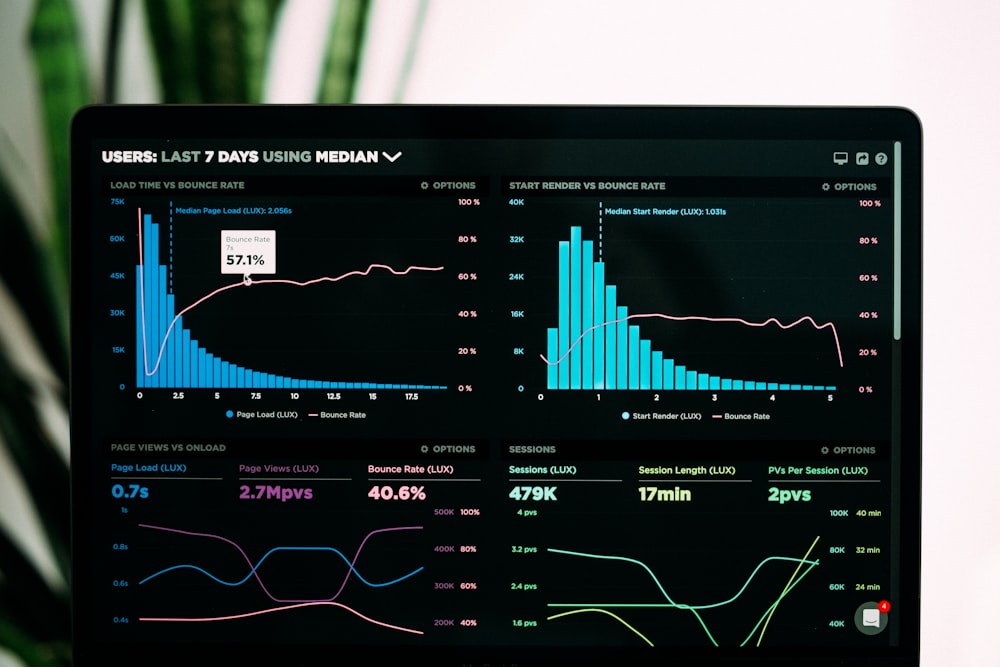
Google’s Core Web Vitals are a set of specific metrics that measure user experience, focusing primarily on loading performance, interactivity, and visual stability. In 2026, a slow website is a penalized website.
- Action: Run your domain through Google’s PageSpeed Insights.
- What to look for: Pay close attention to LCP (Largest Contentful Paint), which should occur within 2.5 seconds, and INP (Interaction to Next Paint), which measures responsiveness.
- Quick Fix: Compress heavy hero images using next-gen formats like WebP or AVIF, and implement a robust caching plugin or CDN (Content Delivery Network).
2. Mobile Responsiveness and Touch Targets
Google uses mobile-first indexing, meaning the mobile version of your website is the only version Google cares about when determining rankings. If your site looks beautiful on a 27-inch desktop monitor but is unusable on a smartphone, you will lose.
- Action: Open your website on your mobile device. Don’t just look at it—navigate it.
- What to look for: Are the buttons too close together (making them hard to tap)? Is the text legible without zooming in? Do pop-ups completely block the screen?
- Quick Fix: Ensure your CSS uses relative sizing (like `em` or `rem`) rather than fixed pixels, and increase padding around hyperlinks and CTAs for thumb-friendly navigation.
3. Indexability and XML Sitemaps
Are search engines actually seeing your most important pages? Sometimes, a stray piece of code can accidentally tell Google to ignore your entire website.
- Action: Go to Google Search Console and check the “Pages” report under Indexing. Also, type `site:yourdomain.com` into a Google search.
- What to look for: Check for pages marked as “Discovered – currently not indexed” or “Crawled – currently not indexed.” Ensure your `robots.txt` file isn’t accidentally blocking critical directories.
- Quick Fix: Ensure your XML sitemap is clean, up-to-date, and submitted to Search Console. Remove low-value tag/category pages from your sitemap to conserve crawl budget.
Part 2: On-Page SEO & Content Quality
Once you know the site is technically sound, you must evaluate the actual substance of your pages. Does your content satisfy user intent, and is it structured so that both humans and AI can understand it?
4. Keyword Cannibalization and Content Decay
Having 15 different blog posts that essentially answer the exact same question is called “keyword cannibalization.” You are forcing your own pages to compete against each other in the search results, ultimately dragging all of them down.
- Action: Review your blog and service pages for overlapping topics.
- What to look for: Identify outdated content (content decay) that hasn’t been updated in over two years. Search engines prefer fresh, authoritative answers.
- Quick Fix: Consolidate thin, overlapping articles into one massive, definitive “Master Guide” and set up 301 redirects from the old URLs to the new master post.
5. Semantic Header Tag Hierarchy (H1, H2, H3)
Headers are not meant just to make text bold and large; they create a structural outline for search engine crawlers and screen readers.
✗ Bad Structure: Using multiple H1 tags on a page, or jumping straight from an H1 to an H4 just because you liked the font size of the H4.
✓ Good Structure: One H1 for the main title, H2s for major sections, and H3s for sub-points beneath those H2s. A perfect, unbroken outline.
6. Meta Titles and CTR Optimization
Ranking #1 on Google is completely useless if nobody clicks on your link. Your Meta Title and Meta Description act as your organic ad copy.
- Action: Use a crawler tool like Screaming Frog to export all your meta data.
- What to look for: Missing meta descriptions, duplicate titles across multiple pages, or titles that are truncated (cut off) because they exceed 60 characters.
- Quick Fix: Rewrite your titles to include the target keyword and an emotional hook or benefit to increase your Click-Through Rate (CTR).
Part 3: Conversion Rate Optimization (CRO) & UX
Traffic is a vanity metric; revenue is a sanity metric. If your website is driving 10,000 visitors a month but generating zero phone calls, you have a severe user experience and conversion problem.
7. Clear, Actionable Call-to-Actions (CTAs)
Users will not hunt for a way to give you their money. You must guide them clearly and explicitly.
- Action: Review your highest-traffic pages.
- What to look for: Are your buttons blending into the background? Are you using passive language like “Submit” or “Click Here”?
- Quick Fix: Use high-contrast colors for your buttons. Change the copy to be benefit-driven: “Get Your Free Quote,” “Download the 2026 Strategy Guide,” or “Schedule a Call.”
8. Broken Links and 404 Errors
Nothing kills consumer trust faster than clicking a link to view a service and hitting a dead “404 Page Not Found” error. It makes your business look abandoned and unprofessional.
- Action: Run your site through a broken link checker (like Ahrefs or a free Chrome extension).
- What to look for: Internal links pointing to deleted pages, or external links pointing to websites that no longer exist.
- Quick Fix: Update the links to point to live, relevant pages, or implement 301 redirects for deleted content.
9. Form Functionality and The Checkout Process
You would be shocked at how many businesses are losing money simply because their contact form has been broken for three months and nobody bothered to test it.
- Action: Personally fill out every single contact form, lead magnet, and checkout process on your website on both desktop and mobile.
- What to look for: Are there too many required fields causing friction? Do you receive the confirmation email immediately? Does the form load quickly?
- Quick Fix: Reduce your contact form to the absolute bare minimum fields (Name, Email, Phone). Every additional field drops your conversion rate exponentially.
Part 4: Security and AI-Readiness
In 2026, optimizing for human users and traditional search spiders is only part of the equation. You must also optimize for generative AI models.
10. Schema Markup (JSON-LD) and Security
Schema markup is a form of structured data that feeds explicit, unambiguous information directly to search engines and Large Language Models (LLMs). It turns your unstructured text into a highly organized database.
- Action: Use Google’s Rich Results Testing Tool. Ensure your site forces HTTPS (SSL Certificate).
- What to look for: Verify you have `LocalBusiness` or `Organization` schema properly configured with your correct address, logo, and contact info. Check for `FAQPage` schema on your service pages.
- Quick Fix: If you lack schema, use a JSON-LD generator to create your identity graph and inject it into the “ of your website. Ensure your SSL certificate is set to auto-renew.
If AI engines cannot explicitly parse who you are and what you do via structured data, they will not confidently cite your brand in their generated responses.
Stop Guessing, Start Auditing
A website audit is the digital equivalent of an MRI. It reveals the invisible fractures and hidden leaks that are quietly destroying your marketing ROI. By going through these 10 foundational checks, you will likely uncover dozens of quick wins that can immediately improve your user experience and search visibility.
However, running a surface-level check is only step one. True optimization requires deep technical analysis, competitor benchmarking, and aggressive implementation.
At Twigital, we specialize in tearing down underperforming websites and rebuilding them into scalable, high-converting assets. Don’t let technical errors drain your ad budget for another month. Contact our team in Indore today to request a comprehensive, manual website audit, and let’s uncover exactly what is holding your business back in 2026.
